Know which words to check
Every word has a confidence score. Send only the doubtful ones to review, as a spreadsheet, instead of proofreading whole pages.

Features
Feed it the files you already have and take out the formats your work needs, from a searchable archive copy to the totals on an invoice.
Highlights
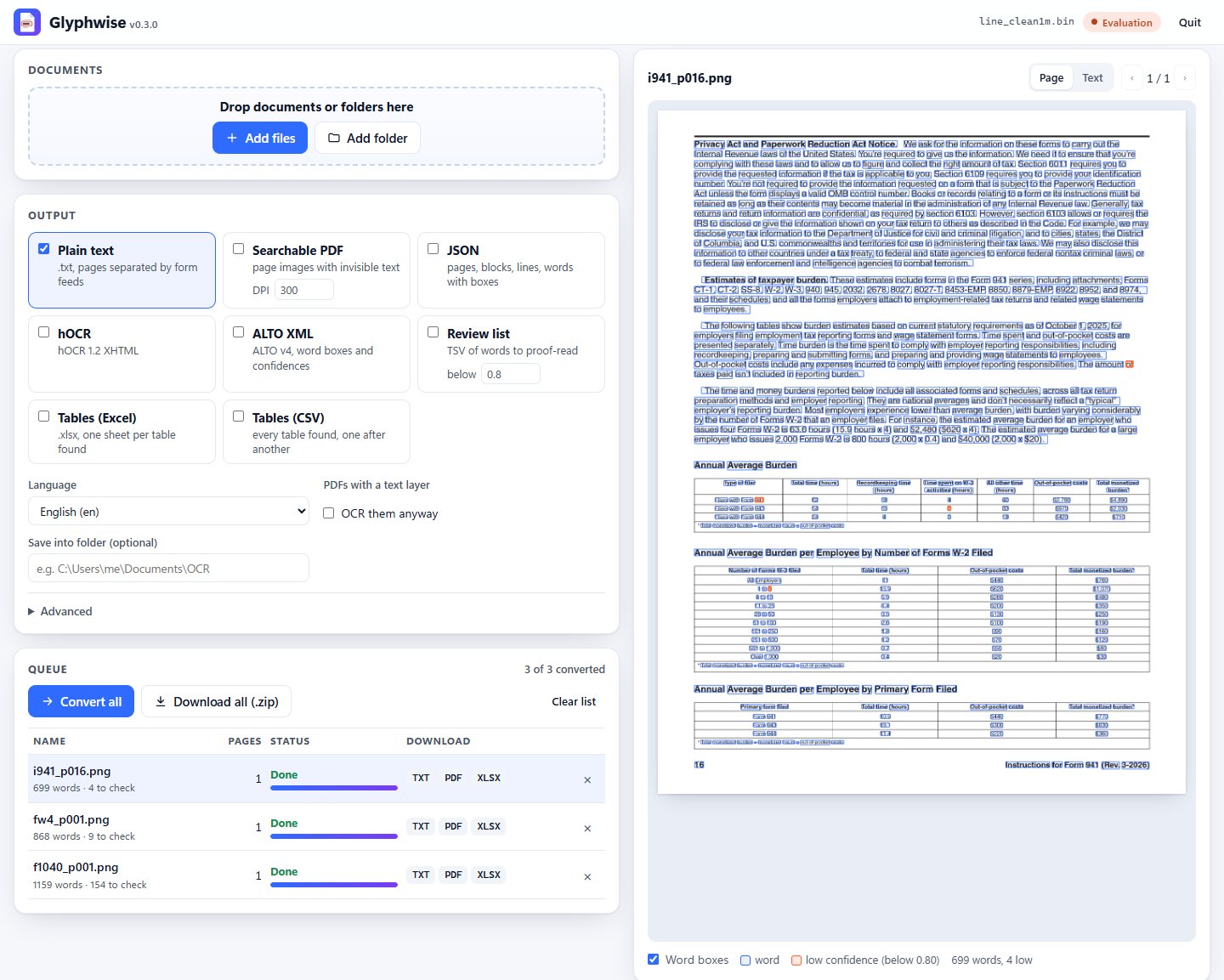
Every picture below is output of the model that ships in the download, on public-domain IRS, NIST and Federal Register pages.
Every word has a confidence score. Send only the doubtful ones to review, as a spreadsheet, instead of proofreading whole pages.
No cloud, no telemetry, no activation server. Contracts, medical records and tax forms stay on your machine, even air-gapped.
Your scan, unchanged, with an invisible text layer: search, select and copy like any digital document. Saved as PDF/A and tagged, so screen readers read it in order.
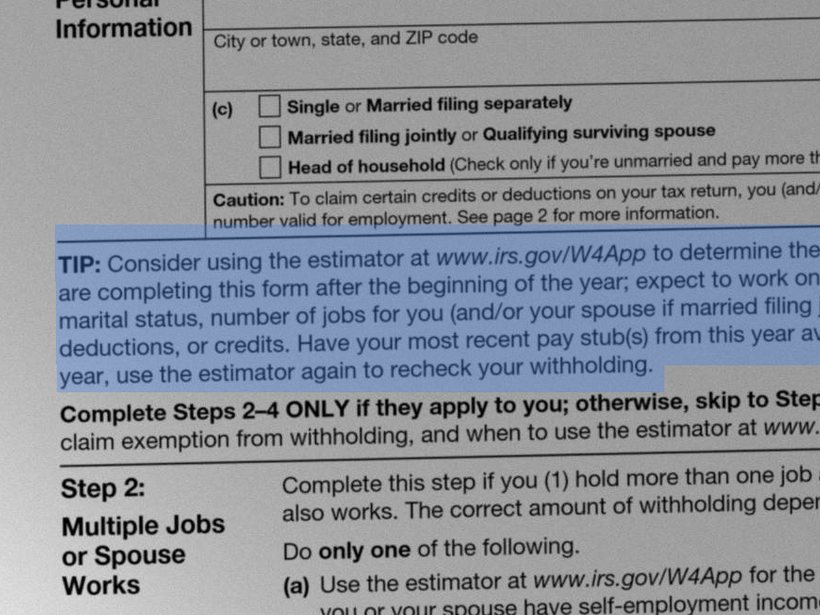
Columns, tables and form boxes are found and read in order. Running headers, footers and page numbers are recognized as such.
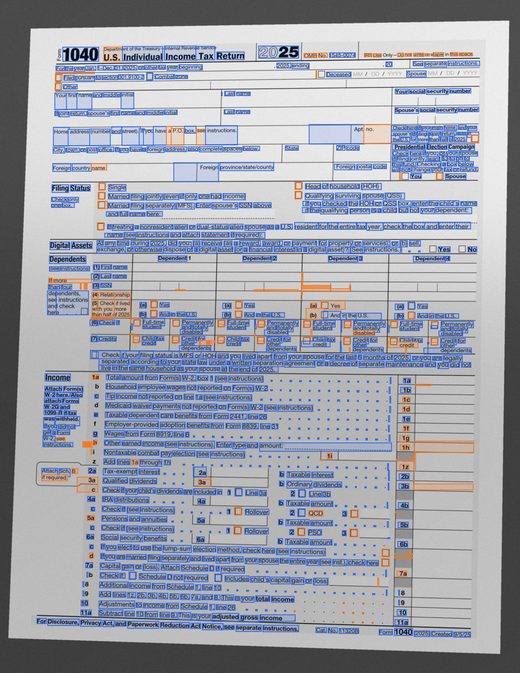
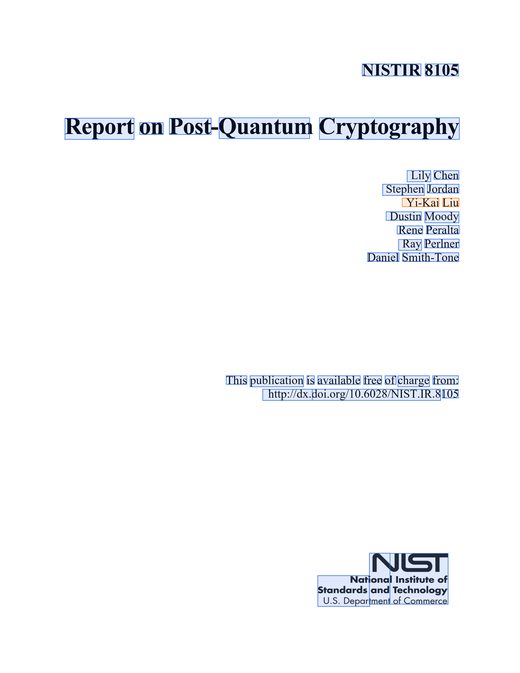
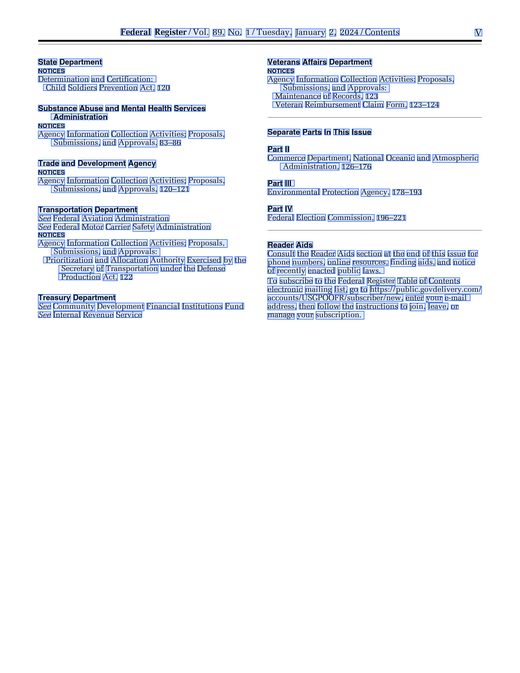
Tables on scanned pages are found cell by cell and saved as an Excel workbook or CSV: ruled tables, merged headers, typeset tables and dense tables aligned by spacing alone. Numbers arrive as numbers.

| A | B | C | D | |
|---|---|---|---|---|
| 1 | Primary form filed | Total time (hours) | Out-of-pocket costs | Total monetized burden |
| 2 | Form 941 | 10.9 | $440 | $770 |
| 3 | Form 943 | 19.1 | $300 | $630 |
| 4 | Form 944 | 11.4 | $220 | $360 |
Install it with the Windows setup program (or double-click glyphwise-gui in the zip), drop in files or whole folders, tick the outputs and convert. Check each page with its words outlined, then download everything as a zip or save it to a folder.
Chinese among them, each with its own language model that corrects likely misreadings, or chosen automatically per page. Measured here.
Uses every processor core, and an NVIDIA card if you have one. 38 full test pages in 21 seconds on a laptop with an entry-level NVIDIA card, 23 on its processor alone (Speed).
A library with ready wrappers, a local HTTP service and a command line. For developers.
New in 1.2
Everything below is in the current download. Full list of changes.
Editable .docx with paragraphs in reading order, headings, font sizes, bold words, two-column pages and tables with merged cells. Prose pages come out close to the original.
“Label: value” pairs, labels with their value beside or below, and every checkbox with its label and whether it is ticked.
Invoice number, dates, vendor, tax id, IBAN, subtotal, tax, total and line items, with a check that the amounts add up. Labels in seven languages.
QR, Data Matrix, PDF417, Code 128, Code 39, EAN and UPC, read on every page, turned or noisy ones too.
Email addresses, social security, phone, card and IBAN numbers, or your own terms, blacked out in every output: painted over on the image and left out of the text.
Point it at a folder: every file that appears is read, written to your outputs and moved to “done” or “failed”.
PDF/A-2u, tagged for screen readers, any alphabet in the text layer, and compact black-and-white or mixed modes at a fifth to a third of the size.
Names, places and terms the reader should prefer, one per line in a plain text file.
PDFs locked only against printing, copying or editing are now read, in every standard encryption.
Beyond text
We made a sample invoice and ran the 1.2 download on it with --fields, --xlsx
and --redact. Everything on the right is what came back, unedited, including its two mistakes.
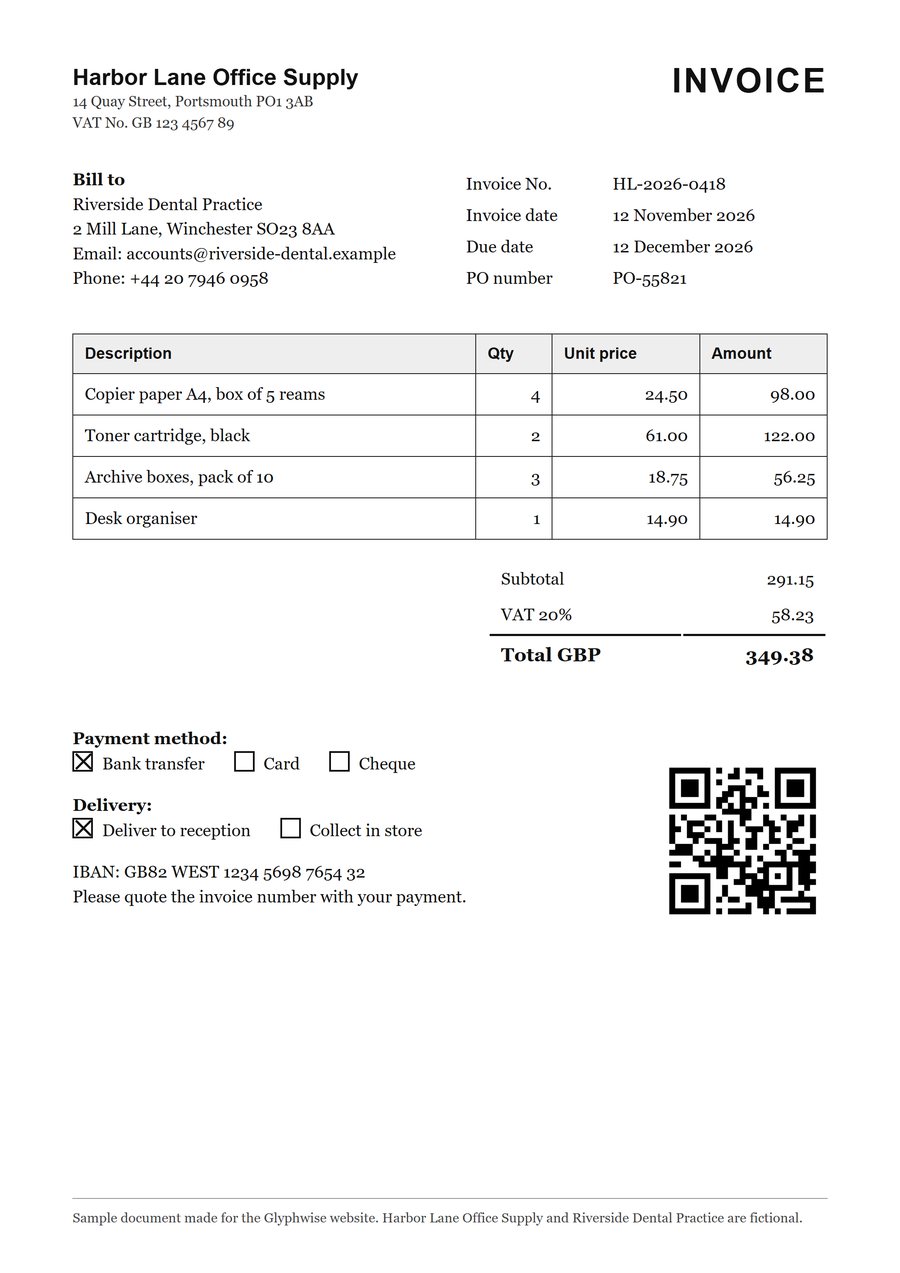
| vendor | Harbor Lane Office Supply |
|---|---|
| invoice_number | HL-2026-0418 |
| invoice_date | 2026-11-12 |
| due_date | 2026-12-12 |
| vendor_tax_id | GE123456789 misread: the page says GB |
| currency | GBP |
| subtotal · tax_rate · tax | 291.15 · 20 · 58.23 |
| total | 349.38 |
| iban | GB82WEST12345698765432 |
| description | qty | unit | amount |
|---|---|---|---|
| Copier paper A4, box of 5 reams | 4 | 24.50 | 98.00 |
| Toner cartridge, black | 2 | 61.00 | 122.00 |
| Archive boxes, pack of 10 | 3 | 18.75 | 56.25 |
| Desk organiser | 1 | 14.90 | 14.90 |
HL-2026-0418 GBP 349.38
Decoded from the corner of the page, reported with the fields.
The two mistakes in this run: the tax id's “GB” was read as “GE”, and the email address lost its dot (below). Confidence scores and the review list are how you catch such words before they reach your system. The same results come as CSV, as an Excel workbook (one sheet per table) and inside the JSON output.
Redaction
With --redact email,phone,iban the phone number and IBAN were painted over on the page
image and left out of the text layer, so they cannot be copied or searched.
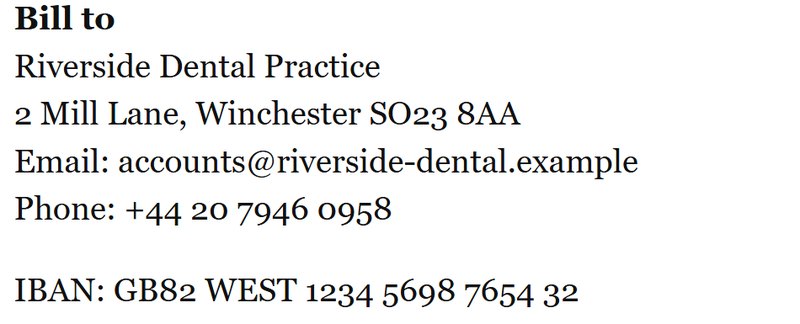
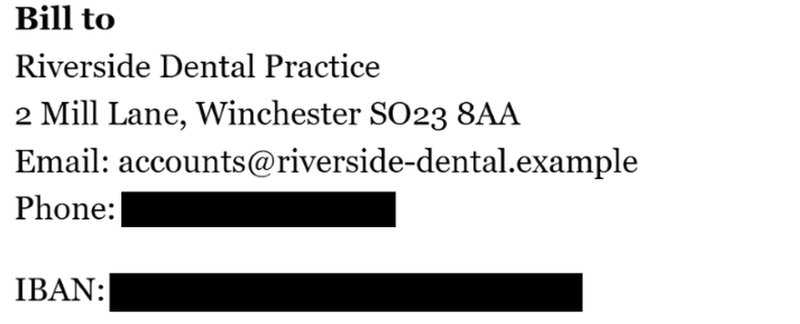
Only what was read can be redacted: the email address was read without its dot, so it was not
recognized as one and stayed visible. Add your own terms with --redact-terms FILE, and check the redacted
output before you share it.
Measured
Measured with the 1.2 download on independent test files.
Average of 12 full pages at 300 dpi (2550 × 3300). The input PNGs average 808 KB. Shorter is smaller.
JPEG only pays on noisy or coloured scans; on clean pages black and white is a fifth of the default.
Independent test files, not made by Glyphwise.
Image cleanup
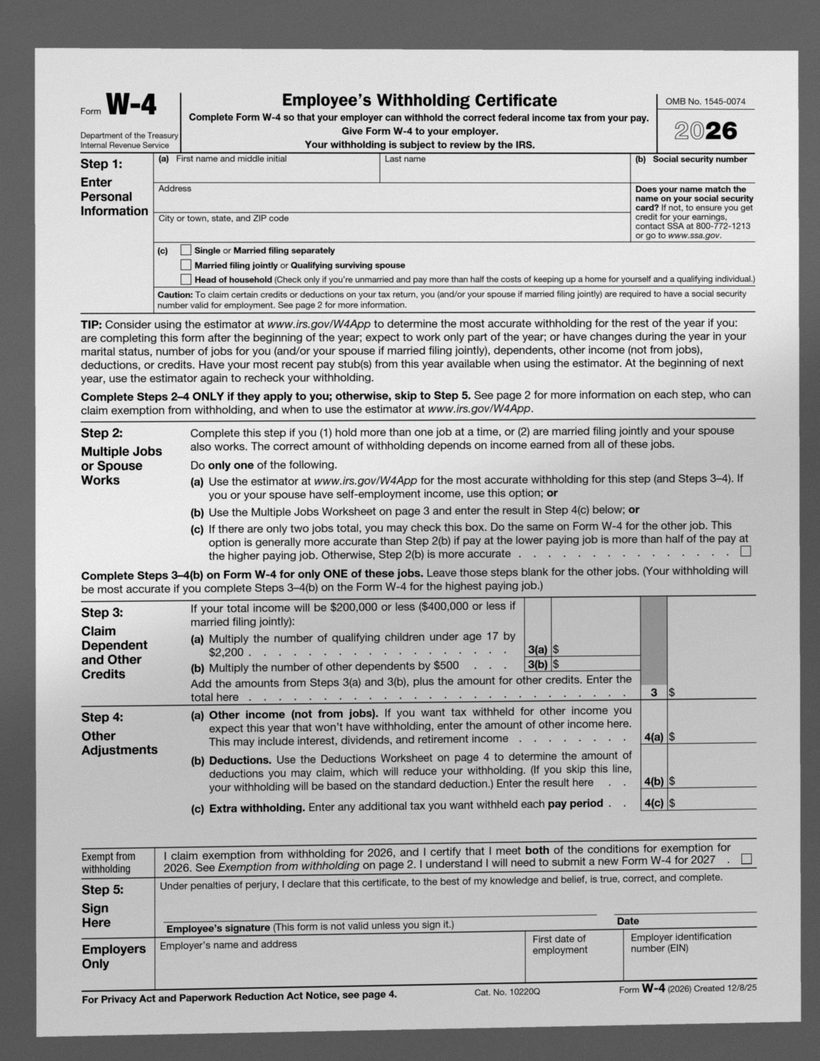
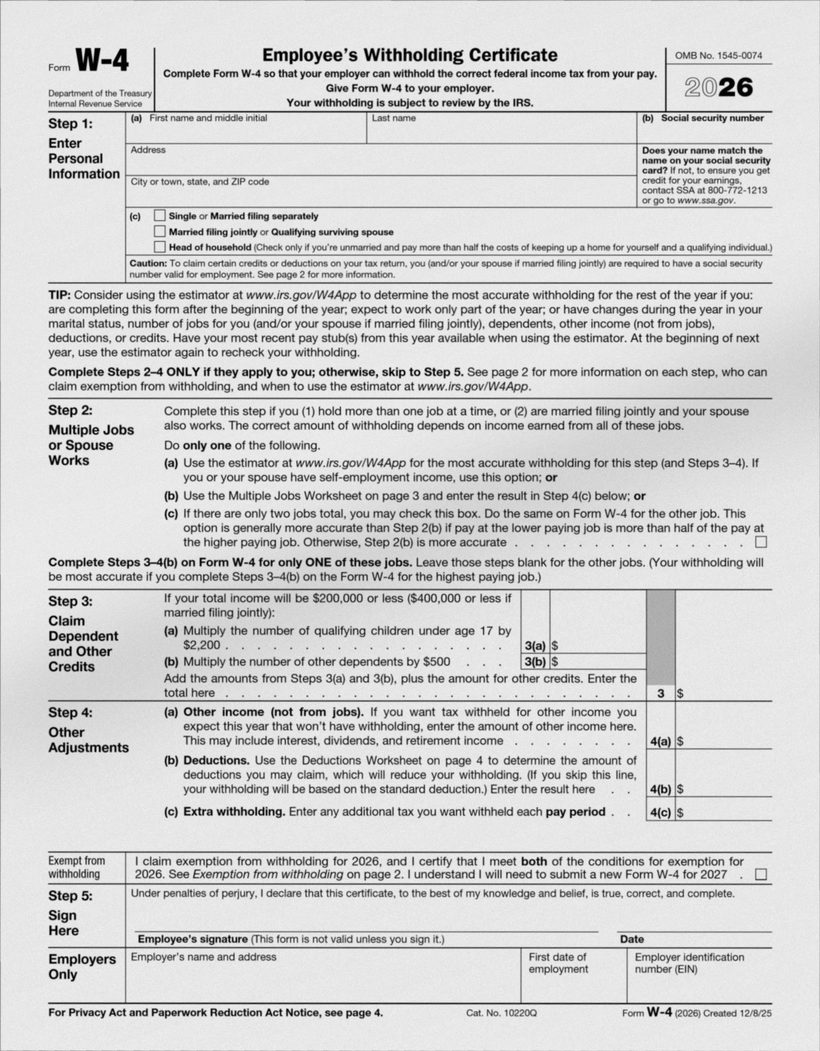
Before a word is read, phone photos are flattened, shadows evened out, sideways and crooked pages set straight, and speckles and form lines cleared away. Ordinary scans pass through untouched.
Formats
PDFs with a text layer are read directly, so born-digital documents come back exact. Scanned pages and photos are recognized.
The free trial has every feature switched on, three pages at a time.